Manage visitors from appointment to check-out
Register appointments and prepare information for hosts. Reception and related teams track expected visitors, arrivals and visit history by location.
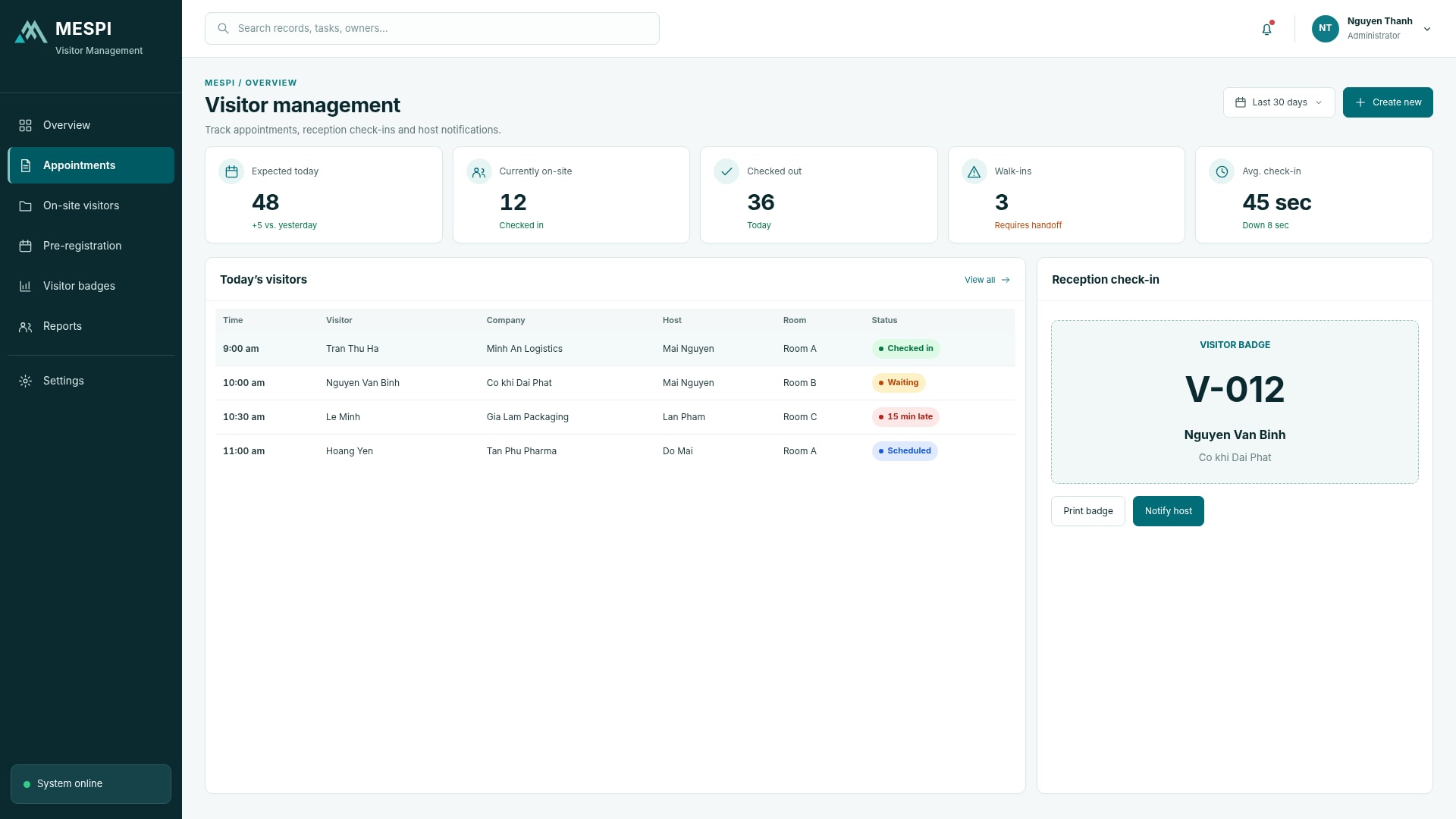
- Nguyen Van Binh, Dai Phat Co.10:00, host: MaiNew
- Tran Thu Ha, audit partnerArrived 9:12In progress
- Supplier survey groupLeft 8:45Done
Product interface
The main screen your team works in every day.
Who it helps and how
Forms, bookings and equipment checkouts all show a clear status.
Requests, approvals, visitors and resources grouped by owner.
Handling history, documents and usage by department and site.
How it works
- Register the appointment
- Confirm the host
- Check the visitor in
- Check the visitor out
Feature groups
- Appointment registration and confirmation
- Check-in and check-out
- Host notifications
- Visitor lists and history
Data and integration
Connects company accounts, email, calendars and notifications. The document repository, approvals and internal requests are shared across the apps in this group. Integrated platforms are not presented as commercial partners.
Access control connections are scoped during deployment.
Deployment and use
We start with the product, clarify configuration and the data or systems to connect, then set up users, training and support as agreed.
Standard SaaS, private deployment or a combined Digital Workplace package
Frequently asked questions
Can we use just one app?
Yes, use one app or combine them as needed.
Are documents and requests permission-controlled?
View and handling rights are organized by role, department and record type.
Do you support multiple sites?
Packages are sized by users, sites, resources or devices.
Can it integrate with our existing accounts and calendars?
Connections are defined during configuration and deployment.