Manage employee records, attendance and leave in one system
Keep employee records, the org chart and employment history in one permission-based place. Track leave and attendance and prepare payroll inputs so HR and line managers work from the same information.
- Leave request, Le Thi Thu TrangAccounting, 3 days from 12 NovAwaiting approval
- October timesheet, Workshop 24 missing check-insNeeds review
- Onboarding, Pham Quoc HuyFirst day 4 NovIn progress
Product interface
The main screen your team works in every day.
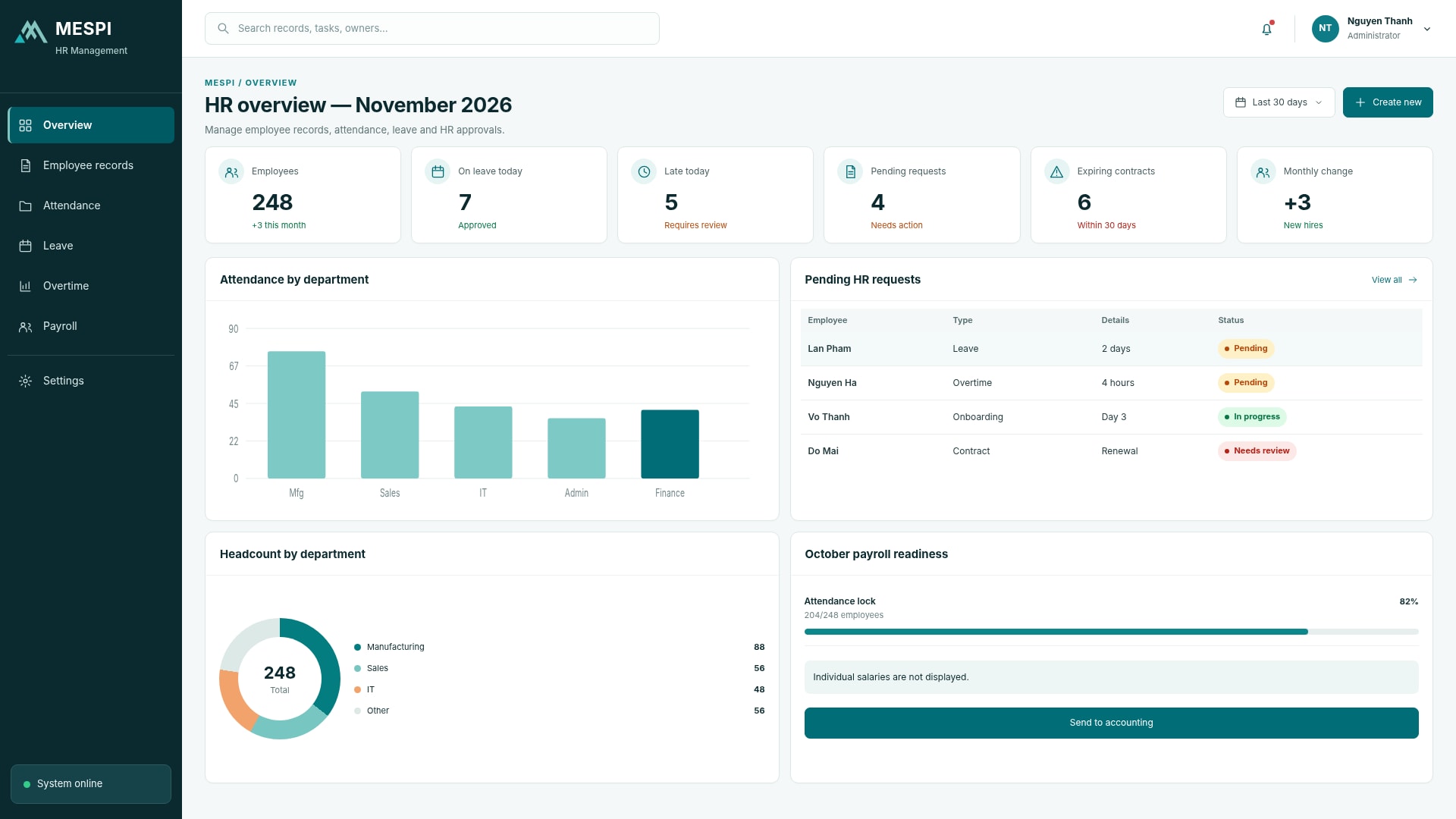
Who it helps and how
Records, status and the next step in one place.
See who is handling what and what is late.
Work history is stored centrally.
How it works
- Employee submits a request or updates details
- Line manager reviews and approves
- HR checks attendance and leave balances
- Close the timesheet and pass on payroll inputs
Feature groups
- Employee records and org chart
- Leave and attendance
- Payroll inputs
- Employee onboarding
Data and integration
Connects company accounts, email, e-invoicing, banks and the other apps in this group. Integration with existing ERP, accounting or time attendance systems is scoped during deployment.
The system prepares attendance and leave data for payroll. Payroll calculation, personal income tax and social insurance connect to Accounting & Finance or your existing software as scoped.
Deployment and use
We start with the product, clarify configuration and the data or systems to connect, then set up users, training and support as agreed.
Standard SaaS, private deployment or module by module alongside existing systems
Frequently asked questions
Can each department use its own process?
Workflows, roles and data are configured to the scope of use.
Can every user see every record?
Access is organized by role and data scope.
How do we get started?
Choose the product, clarify configuration needs and the data or systems to connect.
Do we need to replace our current ERP or accounting software?
No. You can use individual modules connected to existing systems, or migrate in stages on an agreed roadmap.