Manage customers and sales activity end to end
Keep customer records, opportunities and the sales team’s activity history in one place. Link follow-ups and next tasks to owners so information is not lost along the way.
- Hoa Binh Foods, VND 1.2bnProposal, waiting 6 daysNeeds review
- Tan Phu Pharma, VND 640mQuoteAwaiting approval
- Minh An Logistics, VND 380mSite visit ThursdayNew
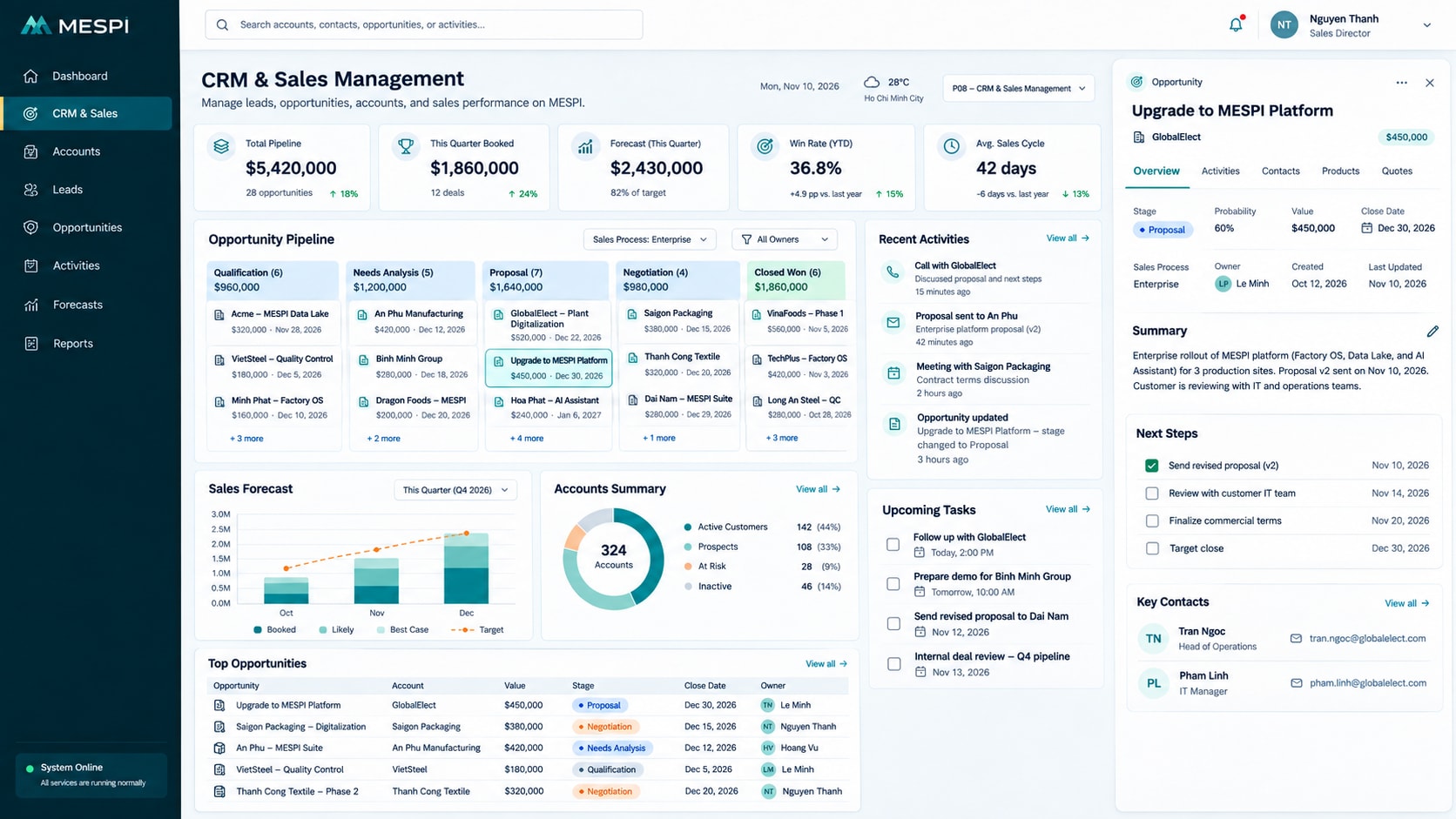
Product interface
The main screen your team works in every day.
Who it helps and how
Records, status and the next step in one place.
See who is handling what and what is late.
Work history is stored centrally.
How it works
- Log a customer or opportunity
- Update details and needs
- Follow up
- Track outcomes and move stages
Feature groups
- Customer records
- Opportunities and pipeline
- Activities and interaction history
- Quotes and next tasks
Data and integration
Connects company accounts, email, e-invoicing, banks and the other apps in this group. Integration with existing ERP, accounting or time attendance systems is scoped during deployment.
Multi-source analysis uses Sales Analytics; omnichannel AI customer care uses the Omnichannel AI Agent.
Deployment and use
We start with the product, clarify configuration and the data or systems to connect, then set up users, training and support as agreed.
Standard SaaS, private deployment or module by module alongside existing systems
Frequently asked questions
Can each department use its own process?
Workflows, roles and data are configured to the scope of use.
Can every user see every record?
Access is organized by role and data scope.
How do we get started?
Choose the product, clarify configuration needs and the data or systems to connect.
Do we need to replace our current ERP or accounting software?
No. You can use individual modules connected to existing systems, or migrate in stages on an agreed roadmap.