Search company knowledge through conversation, with sources
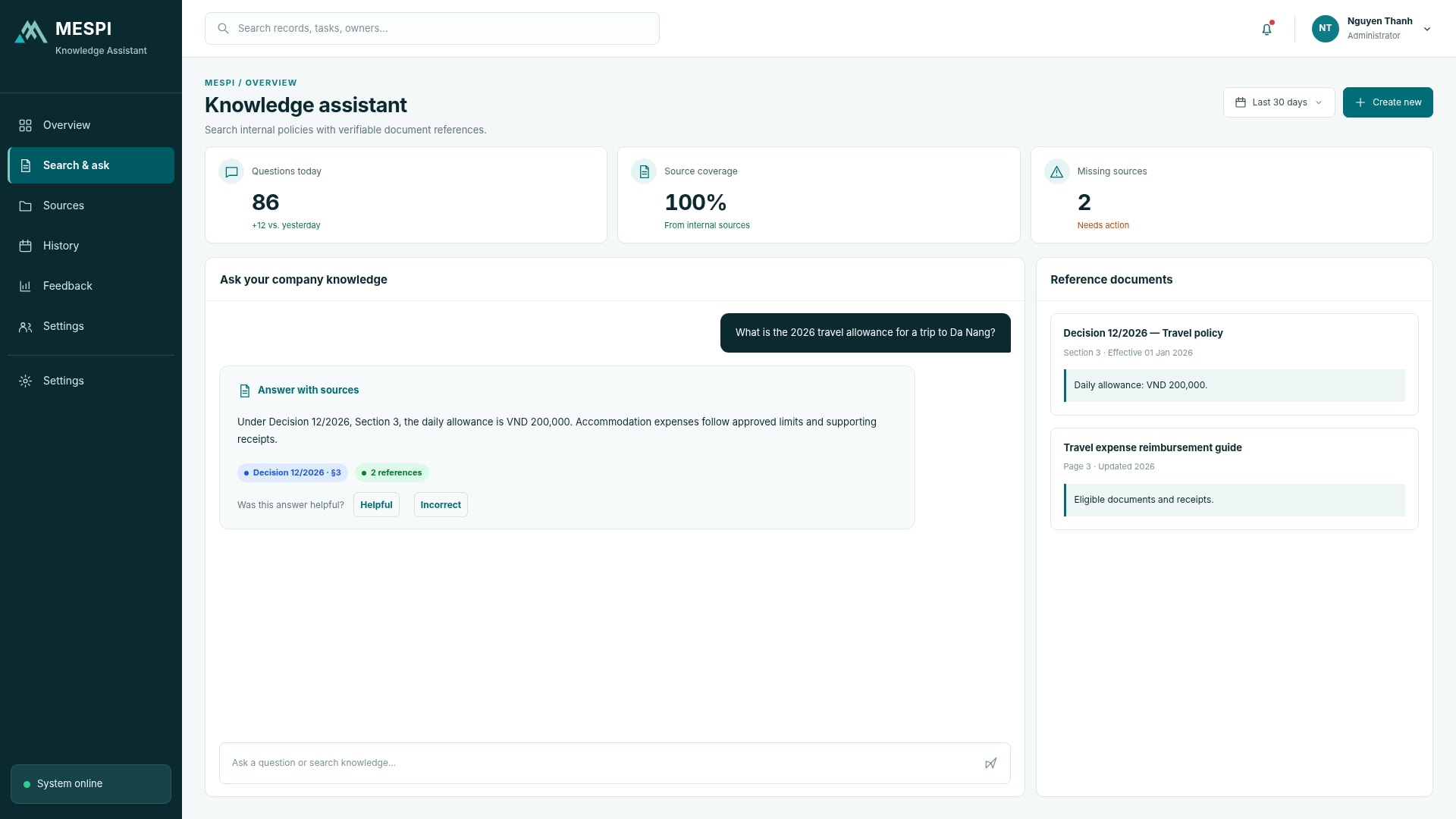
Ask questions across connected, permission-controlled sources. The assistant finds relevant content, presents an answer and links to the source documents for checking.
Product interface
The main screen your team works in every day.
Who it helps and how
Answers link to the original documents.
AI prepares the data; people review and confirm.
Permissions, approval steps and an action log.
How it works
- Ask a question
- Read the answer
- Check the sources
- Ask a follow-up or give feedback
Feature groups
- Source connection and management
- Permission-based access
- Q&A with citations
- Feedback and content governance
Data and integration
Connects document sources, messaging channels and business systems within granted permissions. Actions that change data pass a review step.
Records and versions stay in Document Management.
Deployment and use
We start with the product, clarify configuration and the data or systems to connect, then set up users, training and support as agreed.
Standard SaaS or private deployment
Frequently asked questions
How are results checked?
The interface shows sources or input data, and how users review and give feedback.
Does the app take actions in our systems?
Only actions within the designed scope and permissions; approval steps appear before actions that need confirmation.
What happens when information is missing?
The app says so, asks for clarification or routes the case to a person.